Super Speedy Sitemaps
All other sitemaps were so slow, we built our own

Big catalogues break sitemap plugins. Super Speedy Sitemaps splits every large sitemap into small files, reads them with queries built for huge tables, caches them on disk, and never serves a half-built sitemap. Free.


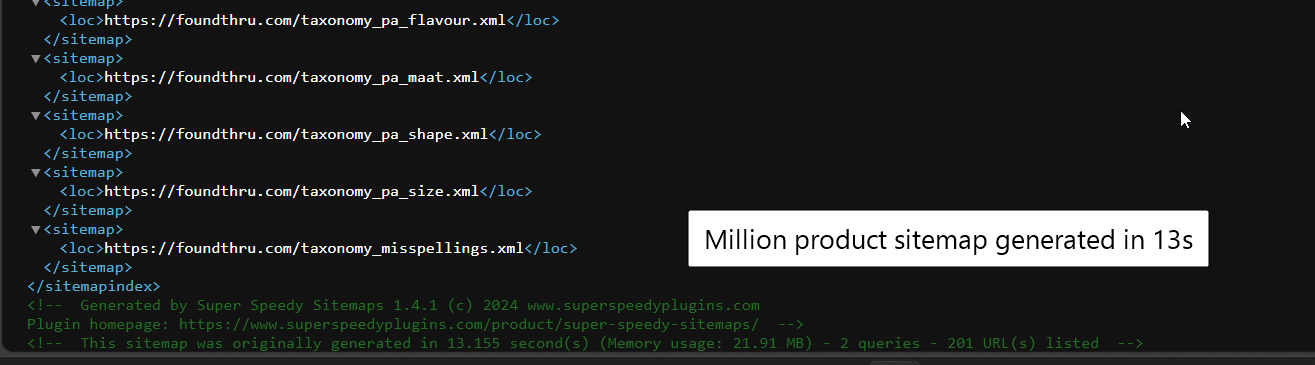
Your sitemap is the slowest page on your site
Googlebot asks for it. WordPress builds it from scratch. On a big catalogue, that is where it falls over.
A sitemap looks like a tiny file. It is not. Every time a crawler asks for one, most sitemap plugins go to the database, read every published product or post of that type, sort them, and build the XML on the spot.
On a blog, nobody notices. On a store with hundreds of thousands of products, that request reads a huge slice of wp_posts, holds a PHP worker for as long as it takes, and very often runs out of time or memory first. Googlebot gets a white page or a 504 instead of your URLs, and comes back later to try again.
The sitemap plugins bundled with SEO suites were built for blogs. Super Speedy Sitemaps was built for the sites they break on.
We tested the sitemap plugins on a huge site. Only one could scale.
So we took it over, fixed it and made it faster.
In 2019 Dave Hilditch benchmarked Yoast SEO’s sitemaps, Google XML Sitemaps and Better WordPress Google XML Sitemaps on a very large client site. Google XML Sitemaps tried to list a whole month of posts in one enormous file, and Yoast ran queries that could not be fixed without rewriting the plugin. Better WordPress Google XML Sitemaps was the only one designed to split sitemaps into pages, and the only one that could be made fast at that size, once a database index was added and its deep-page query rewritten.
That plugin was no longer maintained. It became Super Speedy Sitemaps: security holes fixed, the query rewrite from the benchmark built in, and active development and testing on current WordPress. Read the original benchmark, with every query and index.
“It gives you a lot of control over your sitemaps more than other SEO plugins; it also makes it possible to cache it to make it even faster. You can fine-tune what you want to have in the site map.”
/sitemap.xml. Each file is quick to build and quick to fetch, and you submit one URL to Google.Live in ten minutes
Install, choose what goes in, switch on caching, submit one URL.
Everything a big site needs from its sitemaps
- Every public post type and taxonomy, including WooCommerce products, categories and attributes, picked up automatically.
- Split post sitemaps with a global and a per-part URL limit, so no file grows past what your server can build.
- Google News sitemaps with publication name, language and per-category genres.
- Image sitemaps that add each post’s featured image to its entry.
- External pages: list URLs WordPress does not know about, such as a separate app or a static landing page.
- Exclusions by post, by term, or by every post in a term.
- robots.txt gets your sitemap index automatically, so crawlers find it without being told.
- Multisite networks: every site has its own index, cache and log, with server settings kept for the super admin.
- Custom modules: write a small PHP class to publish any sitemap you like, alongside the built-in ones.
- Readable sitemaps with an optional XSLT stylesheet, so a person opening one sees a table, not raw XML.
- AI-agent control: an assistant such as Claude Code can read and change the settings and flush the cache over MCP.
- Works beside your SEO plugin: keep Yoast SEO, Rank Math or The SEO Framework for everything else and let Super Speedy Sitemaps publish the sitemap.
Even faster with Scalability Pro
Super Speedy Sitemaps does not need anything else. On a very large catalogue, Scalability Pro adds a wp_posts index built for exactly the query sitemaps run, by post type, status and last-modified date, so every batch is read straight from the index. It speeds up the rest of WordPress too.
Super Speedy Sitemaps Knowledge Base
View full Knowledge Base →What's new in Super Speedy Sitemaps?
View full changelog →- Posts, pages, products, post types, categories and terms set to noindex in Yoast SEO, Rank Math or All in One SEO are left out of the sitemaps while that plugin is active, and changing the setting updates the cached sitemaps straight away.
- WooCommerce products with Hidden catalogue visibility are left out of the product sitemap, and the new Exclude out-of-stock products option leaves out products that are out of stock.
- New WP-CLI commands
wp sssm status,wp sssm warm(build and cache every sitemap,--regenerateto rebuild them all),wp sssm flush,wp sssm logandwp sssm clear-log. - The XML Sitemaps tab now warns when another plugin is also publishing a sitemap, names it and says where to switch it off, and a new Switch off the WordPress core sitemap option removes
/wp-sitemap.xml.
- Fixed Advanced Options > Sitemap Cache > Cache directory and the
SSSM_GXS_CACHE_DIRconstant having no effect; cached sitemaps are written where they say, and the field shows the real default,wp-content/uploads/super-speedy-sitemaps.
- The Sitemap Log now lists every sitemap generated or that failed to generate, with its URL count, size and gzipped size in KB, build time, query count, peak memory and any error, and a Problems only filter.
- The Sitemap Log is kept in its own database table, capped at the last 1,000 entries, and serving a cached sitemap no longer writes to the database.
robots.txtand the settings screens now point to/sitemap.xml;/sitemapindex.xmlstill serves the same index.
Questions before you switch
What changes, what does not, and what the server needs.
/sitemap.xml, for example https://example.com/sitemap.xml. /sitemapindex.xml serves the same index, so a sitemap you submitted under that name keeps working.Get it Free
Free download. Install in seconds.
Works well with
Some combinations get a bigger discount than others. Add this set to your basket to see its price.

Alek H. (verified owner) –
It’s not working; clicking to generate the sitemap leads to a 404 error page.
Dave H. (verified owner) –
Super Speedy StaffFlush permalinks by visiting Permalinks and hitting save, also flush your object cache. It’s working well for many people including me.
Timothy L. (verified owner) –
It gives you a lot of control over your sitemaps more than other SEO plugins; it also makes it possible to cache it to make it even faster. You can fine-tune what you want to have in the site map.