Does it map fields automatically?
Published
· Last updated
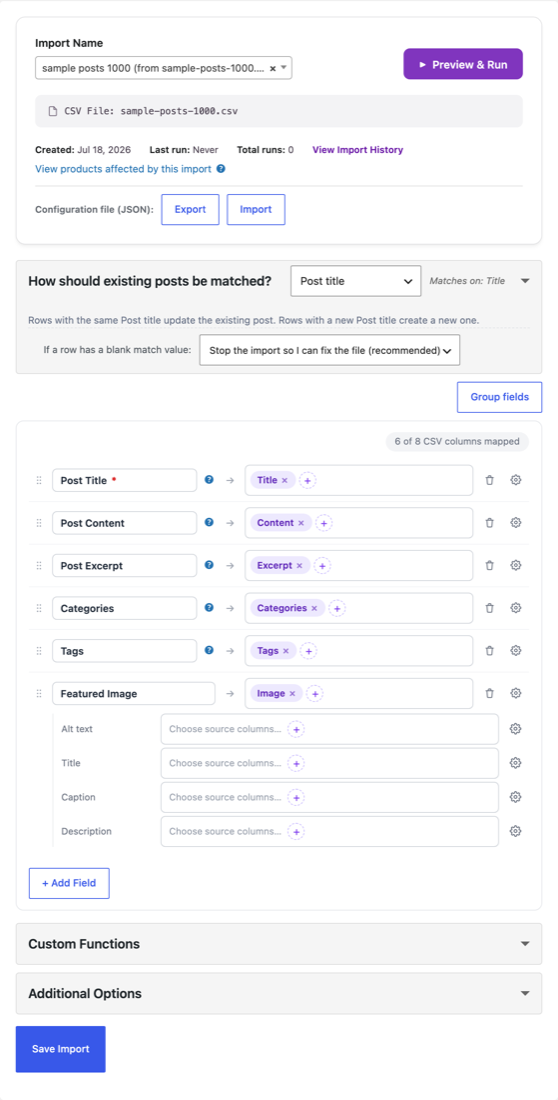
Yes. SSI’s auto-classifier uses column names and sample data to recognise fields and suggest mappings. Review them, accept a suggestion or choose a destination yourself. Unusual fields may need manual mapping. Automatic column mapping explains what it recognises.
A few things New Import checks while it reads your file:
- Decimal mark. It reads the prices in the file and offers the decimal mark the file uses, so a European price list with
12,99is offered Comma (,). Check the Decimal Point setting before you create the import. - Excel “CSV UTF-8” files. The byte-order mark Excel writes before the header row is removed, so the first column maps like any other.
- Taxonomy term files. A CSV with one row per category, tag or other term is refused for an import type that imports posts or products, because its slug and description columns would overwrite your items. Use an import type that imports terms for such a file.
Further reading
Browse the other questions.
Follow the visual import workflow.
Related products

Written for Super Speedy Imports 3.40.0.

Comments