Shop Titles
Published
· Last updated
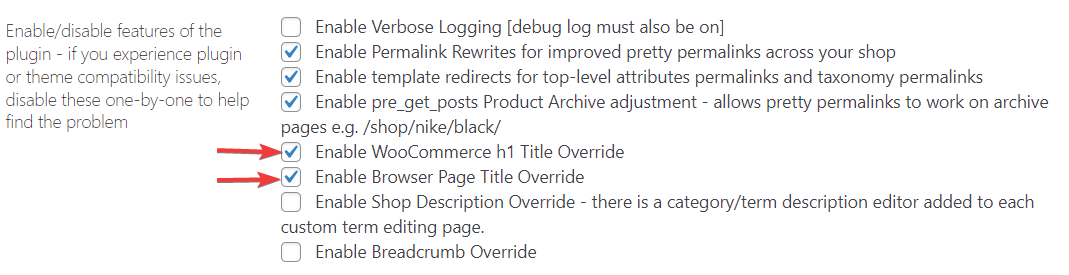
Customise the shop and page titles instead of using your default WordPress project name. Make sure under Dashboard > Settings > Super Speedy Filters > Advanced the two boxes with the red arrows are checked. These should be set by default.
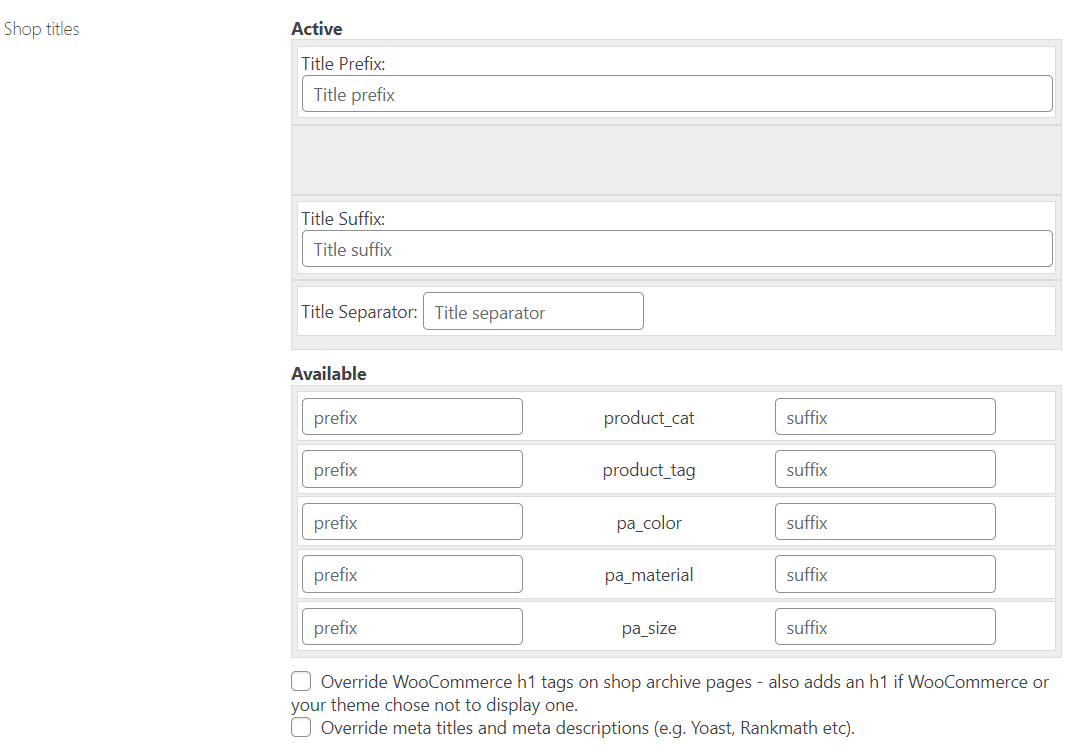
Now in Settings > Super Speedy Filters > SEO & Indexing, navigate to the “Shop titles” option area. There are a number of available options available:
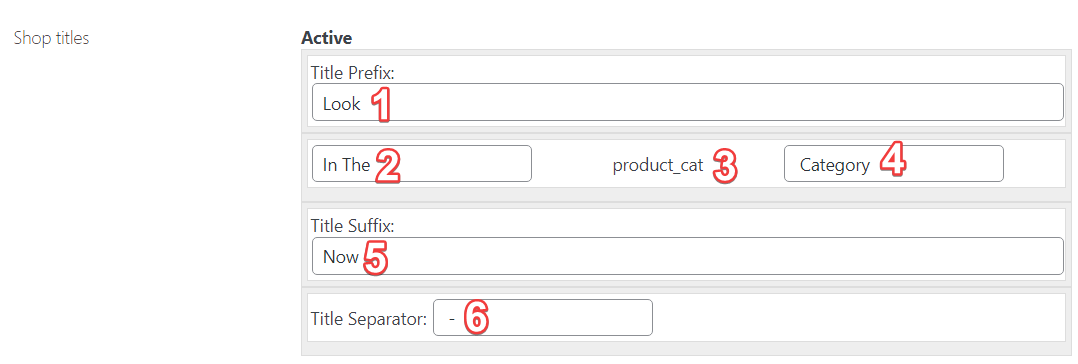
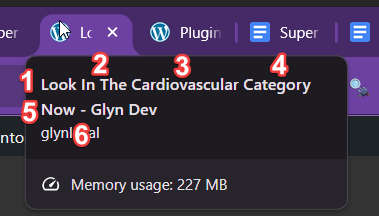
Drag from the available options to add more details to shop titles:
Fixing this on a real store?
Super Speedy Filters does it for you. Or get every Super Speedy plugin with the All Access Pass.
 Super Speedy Filters
Fast product filters and pretty, indexable permalinks on every archive
From €79.00
Get Super Speedy Filters All Access Pass
Every Super Speedy plugin, one licence, with updates and support.
From €129.00
See the All Access Pass
Comments