Running the sale price updates
When a rule that changes sale prices is saved, starts or ends, the add-on does the work in two parts. The prices change first, all at once. Then WooCommerce’s save hooks run for every changed product, so other plugins catch up. This article covers the second part: where it runs, how to watch it, and the option to run it in the background.
Available since 0.4.0.
Part one: the prices
Every sale price the rule sets, or puts back, is written in bulk in the same request: each product’s sale price and active price, WooCommerce’s product price lookup table, and the price range of each variable product. The sale is on the shop, in sorting by price and in the price filter the moment the save finishes, however many products the rule covers.
Part two: WooCommerce’s save hooks
Many plugins react when a product is saved: product feeds, search indexes, caches, filter plugins, stock sync, marketplace connectors. For each changed product the add-on fires the same hooks a save on the product’s own screen fires, in the same order, and re-syncs each variable product’s price range through WooCommerce. A plugin listening for a product save cannot tell the difference.
These hooks take longer than the prices, so they run in batches after the save.
In your browser (the default)
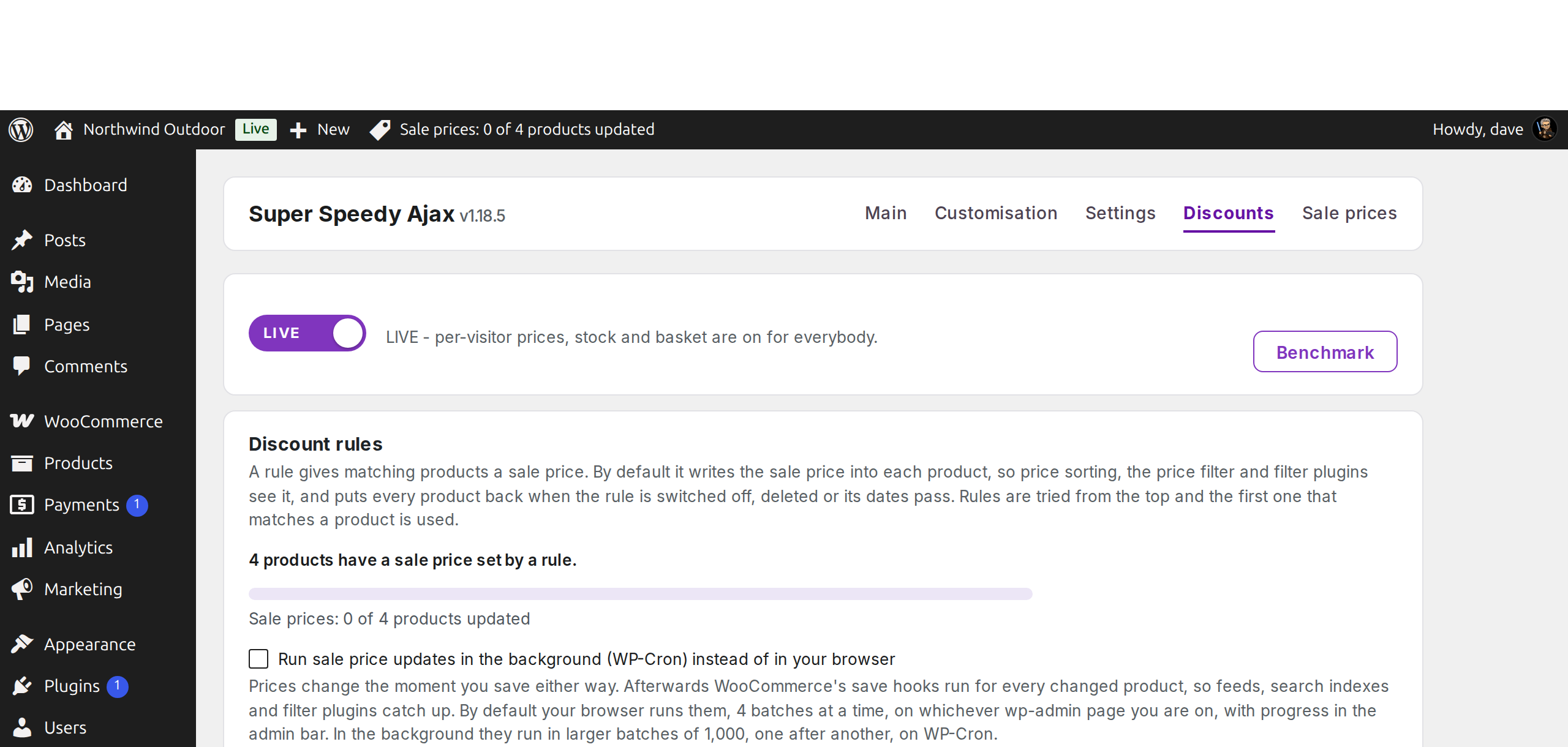
Your browser runs the batches, 4 at a time, 250 products to a batch, on whichever wp-admin page you have open:
- the admin bar shows the progress, for example “Sale prices: 600 of 1,200 products updated”, and links to the Discounts tab;
- the Discounts tab shows the same progress with a bar;
- moving to another wp-admin page carries on from there;
- when every batch is done, the admin bar reads “Sale prices are up to date.” and the item goes away.
If you close wp-admin altogether, WooCommerce’s scheduled actions pick up whatever is left about 2 minutes later and finish it on WP-Cron.
In the background
To keep this off your browser, open Advanced at the bottom of the Discounts tab and tick Run sale price updates in the background (WP-Cron) instead of in your browser, then save.
The hooks then run through WooCommerce’s scheduled actions on WP-Cron, in batches of 1,000 products, one batch after another, about 20 seconds of work at a time. No progress shows in the admin bar. The prices still change the moment you save; only the hooks move to the background.
- Browser (default): most stores, where you want the hooks done quickly while you are in wp-admin
- Background: stores where a real server cron runs WP-Cron every minute, and very large sales you would rather not watch
Scheduled starts and ends
A rule’s From and To times are scheduled actions too. When one arrives, the prices are written or put back in bulk, the page cache is purged, and the hooks are queued as above.
WP-Cron runs when someone visits the site, so on a quiet site a scheduled time can be reached a little late. Until the start runs, shoppers see the rule’s discount as if it were display-only, and sorting and filters use the old price. Until the end runs, products keep the rule’s sale price. A real server cron that calls WP-Cron every minute keeps both to the minute.
The add-on also checks every hour that each product has the price its rules say it should, and corrects any that do not.
When a product changes during a sale
When a product is saved during a sale, for example a new product added to the rule’s category, a changed regular price, or a hand-edited sale price, the add-on checks the rules again about 30 seconds later and writes or puts back whatever has changed.
Further reading


Written for Super Speedy Ajax – Price Discounts 0.4.3.
Comments