Trying the demo and sample imports
You do not need a file of your own to see how Super Speedy Imports works. The Demo Data tab sets up ready-made sample imports in one click, and in the paid edition and the GitHub Lite download it can also fetch larger demos on demand. Each one sets everything up for you so you can watch a real import run from start to finish.
The bundled samples
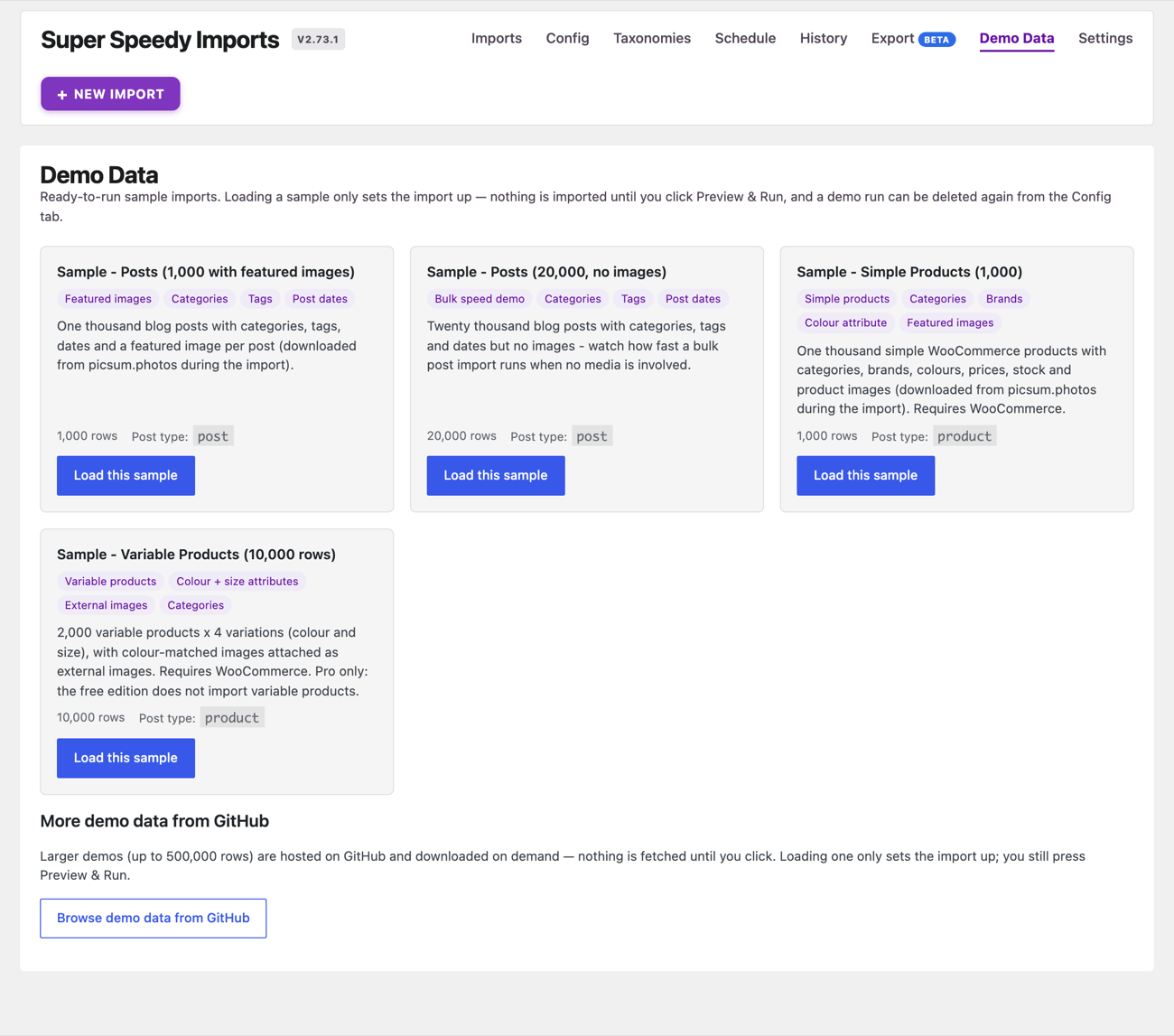
Open Super Speedy > Super Speedy Imports and choose the Demo Data tab. Each sample is a card with its row count, post type and what it demonstrates. Click Load this sample on a card to set that import up: Super Speedy Imports registers the taxonomies the sample uses, copies its CSV into your uploads folder and creates the import configuration.
Nothing is imported at this point. Open the sample from the Imports tab or the Config selector and click Preview & Run to watch it import live, with a progress log. A demo run can be deleted again from the Config tab.
The samples ship inside the plugin, so they work offline:
| Sample | Edition |
|---|---|
| Posts (1,000 with featured images) | Every edition |
| Posts (20,000, no images) | Every edition |
| Simple Products (1,000), with categories, brands, colours, prices, stock and images | Every edition |
| Variable Products (10,000 rows) | Paid edition |
| Variable Products with Term Images (10 parents, 90 variations) | Paid edition |
The product samples need WooCommerce active; without it their button reads Requires WooCommerce. The images in the samples are downloaded during the import.
In WordPress Playground, which is what the Live Preview on wordpress.org runs, the tab also lists a 100-product version of the simple-products sample, first. Playground downloads images slowly, so the smaller sample lets a visitor finish a complete import with images without a long wait. It does not appear on an ordinary site.
More demo data from GitHub
Below the bundled samples, More demo data from GitHub lists larger demos hosted on GitHub. Click Browse demo data from GitHub to list them; nothing is downloaded until you choose one. The list includes 100,000 posts, 100,000 and 1,000,000 simple products, and variable-product demos of 55,000 and 500,000 rows. The variable-product demos need the paid edition and every product demo needs WooCommerce; a demo you cannot use says why.
Picking a demo downloads its CSV and its configuration, verifies each download against a checksum, and sets the import up ready for Preview & Run. A download that fails its checksum is refused.
This section is in the paid edition and the GitHub Lite download. The WordPress.org edition offers the bundled samples only.
A large server-side download can time out on shared hosting. Each GitHub demo in the list also carries direct-download links, so you can fetch the CSV and configuration yourself and set the import up manually.
Once you have run a sample and want to import your own catalogue, see the WooCommerce Imports Quick Start Guide and A tour of the import mapping screen. To understand what the run and completion screens are telling you, see Reading the run and completion screens.
Written for Super Speedy Imports 3.40.0.

Comments